# Diagram Editor
### Diagram Editor overview
As the name implies, the diagram editor, is an editor you can use to create your own strategy diagrams. Although SEO NEO comes with a number of preinstalled strategy diagrams included, If you want to [create your own](https://docs.seoneo.io/~/changes/c3esrpjGy8mxnwIOXO75/software-overview/diagram-editor/creating-a-custom-diagram) custom diagram you can do it using the diagram Diagram Editor.
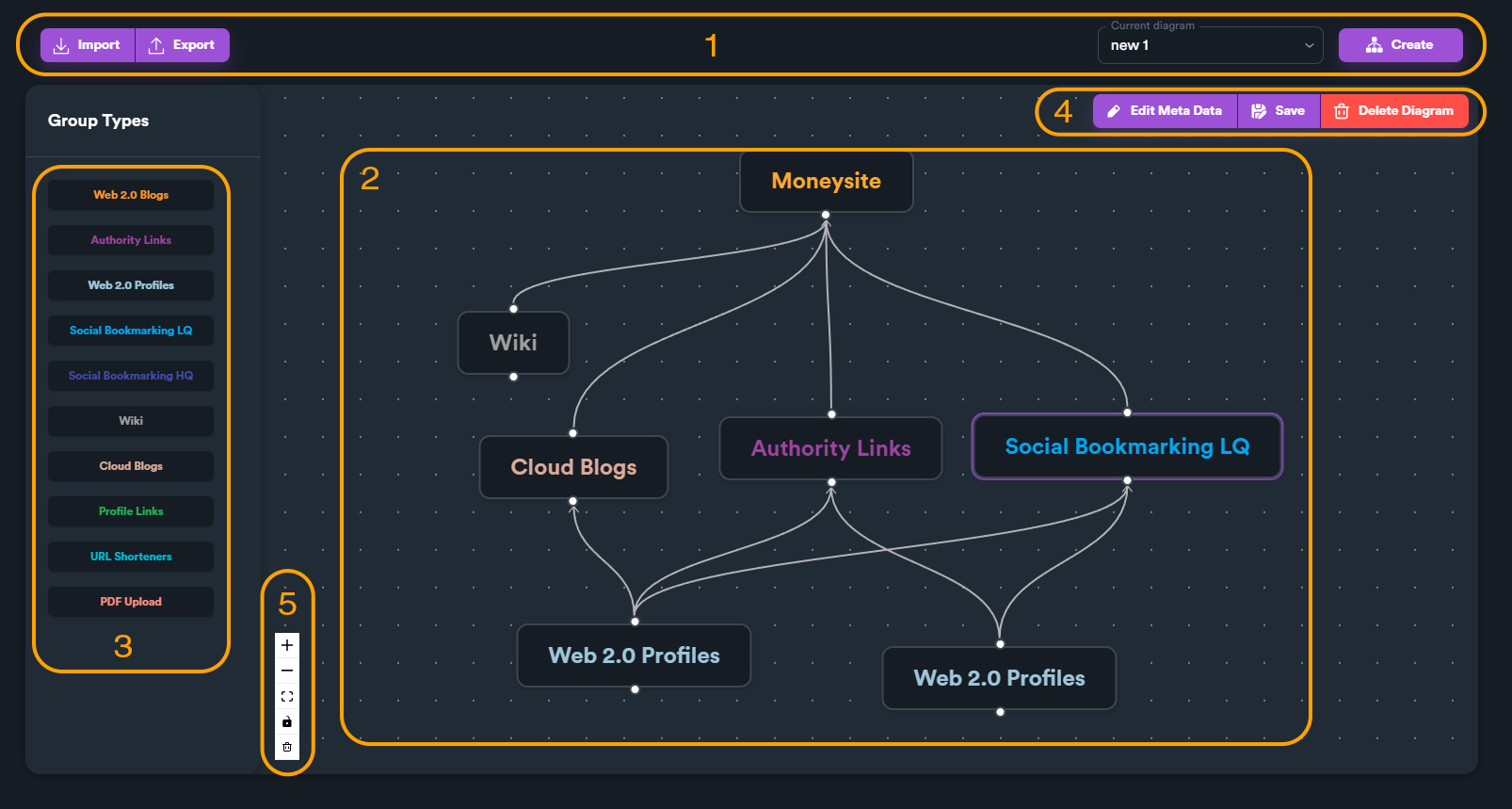
Diagram editor sections overview
1. **File menu**: Create or select a diagram
2. **Diagram area**: where you create or edit your diagrams
3. **Link group list**: Drag and drop link group types into diagram to add new groups
4. **Toolbar**: Save, delete diagram. You can also give your diagram a small description.
5. **Navigation toolbar**: You can zoom-in, zoom-out, fit-view or lock diagram.
### What is a diagram ?
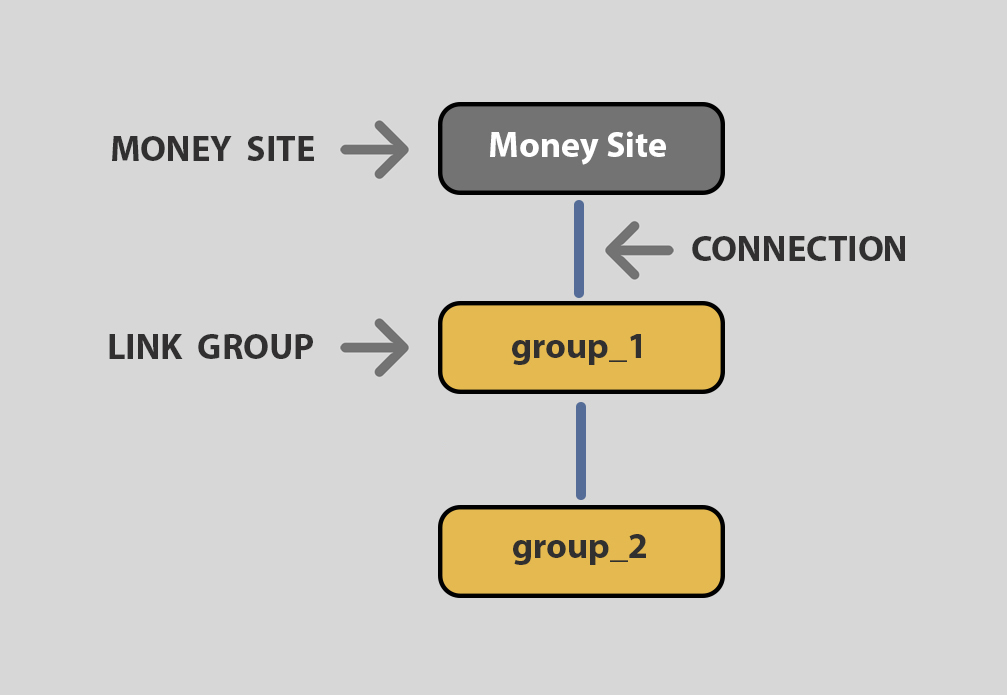
A diagram has three basic elements: **money site, link groups** and **connections**.
**Link groups** are groups of tasks that your campaign has. Tasks are separated by groups in order to differentiate types of sites.
**Connections** are lines within a diagram that connect link groups with money site or with other link groups.
**Money site** is the list of URLs your campaign is targeting.
Different parts of a diagram
When you **connect a link group with your money site**, this means that your money site URLs will take backlinks from these groups.
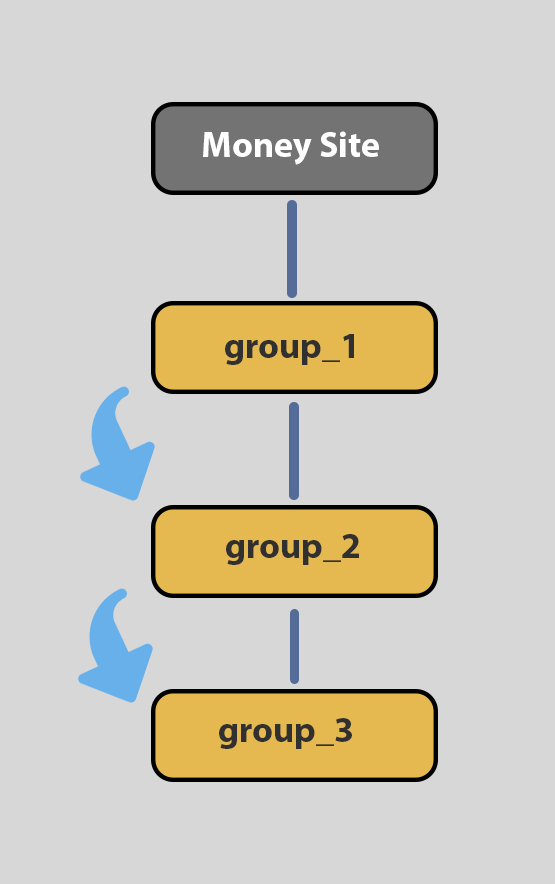
When you **connect a link group with another link group**, you create a flow between these groups. This means that after the first link group finishes, it gives all submitted URLs (created from posts etc.) to the other link group.
Flow between link groups. When group1 finishes, it gives its submitted URLs on group2. Then group2 gives links to group_3
Creating a "*more complex*" makes your campaign seem more "natural". Its better for your link profile to have more than 1 tiers.