# Generate content
Except from adding content manually and importing content, SEO NEO can also help you generate content for your content buckets.
To generate content you can use SEO NEO's built-in (free) **Article Builder**, **Ezine Articles** or any [**3rd-party content source API service**](https://docs.seoneo.io/~/changes/c3esrpjGy8mxnwIOXO75/settings/third-party-api#content-source).
To generate content:
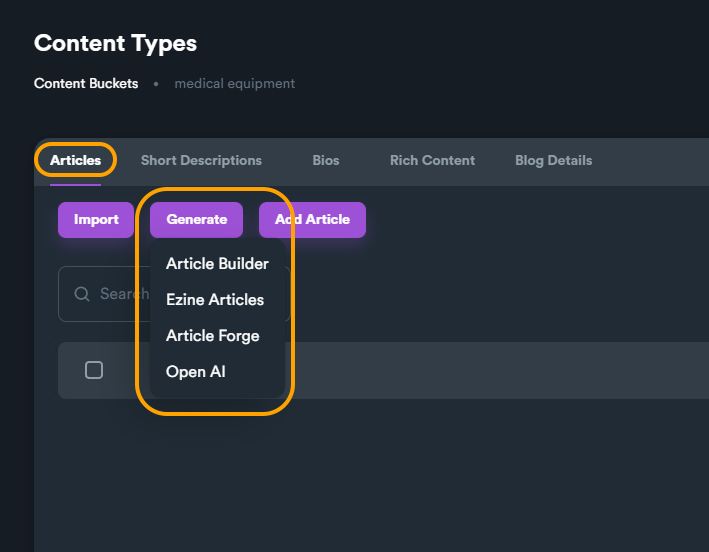
**\[inside a content bucket]** > Click on "**Generate**"
Each content type supports different content generators. For **Articles** and **Short Descriptions** you can use all generators but on other content types you can only use Open AI or even the built-in scraper.
Below is the list of supported content generators according to content type:
**Articles**
* Article Builder
* Ezine Articles
* Article Forge
* Open AI
**Short Descriptions**
* Article Builder
* Ezine Articles
* Article Forge
* Open AI
**Bios**
* Open AI
**Rich Content**
* Built-in content scrapper (image, video URLs)
**Blog Details**
* no content generator
## Using Article Builder
You can use the built-in free Article Builder to generate content based on user input. You can choose article **Category**, **Sub-Category**, **Word Count** and **Number of Article** you want to generate.
You can also choose to spin generated articles (create variations using [**spintax format**](https://docs.seoneo.io/~/changes/c3esrpjGy8mxnwIOXO75/additional-information/glossary/spintax-format)). To spin generated content you can use the **free** **built-in spinner** or one of the supported [**3rd-party spinners**](https://docs.seoneo.io/~/changes/c3esrpjGy8mxnwIOXO75/settings/third-party-api#spinner).
## Scrape Rich Content
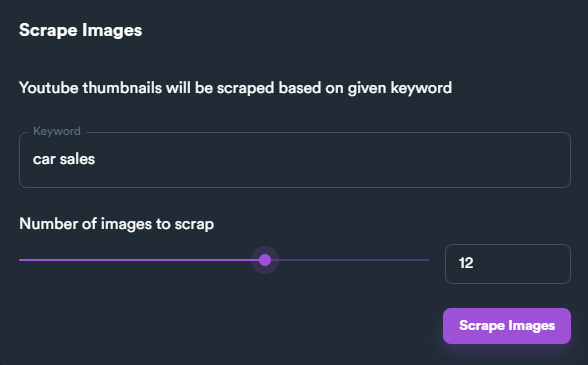
SEO NEO comes also with rich content scrapper. The scrapper fetches URLs based on given keyword. SEO NEO can scrape **image** and **video** URLS.
Selecting what type of rich content you want to scrape
{% hint style="info" %}
Rich content is very important for content buckets that are used on campaigns with groups that support posts with rich content (example: Web 2.0 Blogs)
{% endhint %}