# Creating Account Template

Creating an account template is very easy. You just need to give a name for the account template.

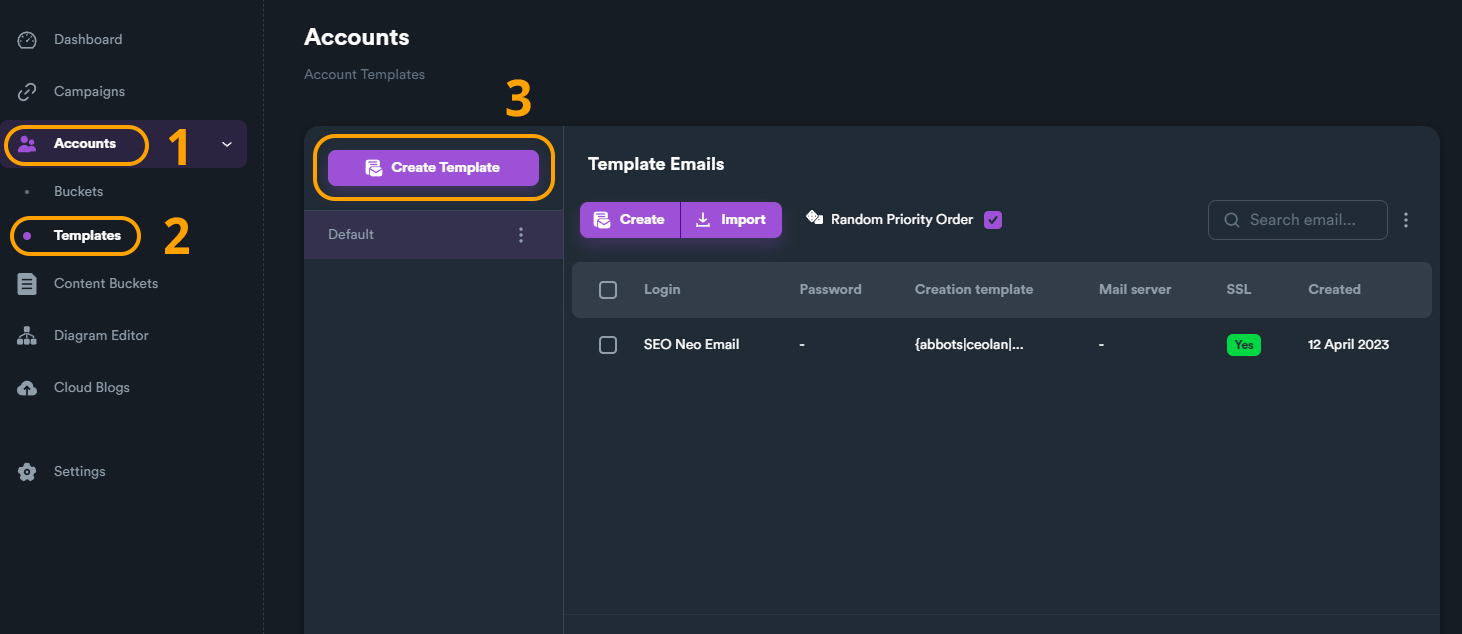
* Click "**Accounts**" on main menu, to expand the menu.
* Click "**Templates**".
* Click "**Create Template**".

<figure><img src="https://2718133043-files.gitbook.io/~/files/v0/b/gitbook-x-prod.appspot.com/o/spaces%2F2UzeMjUGHvOZRX1jMiVc%2Fuploads%2FbandupHxUzXyoGMF0Iyu%2Fcreate%20account%20template.jpg?alt=media&#x26;token=94ea14ad-f0b6-4e47-81ca-f766e85bc7b4" alt=""><figcaption></figcaption></figure>

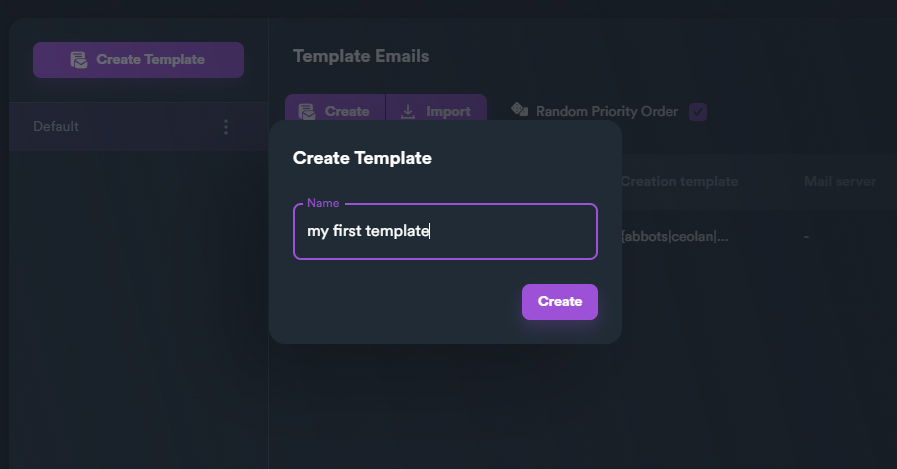
* Give a name to your template and click "**Create**"

<figure><img src="https://2718133043-files.gitbook.io/~/files/v0/b/gitbook-x-prod.appspot.com/o/spaces%2F2UzeMjUGHvOZRX1jMiVc%2Fuploads%2F59RFJihof9YGQyqRiAZ1%2Fcreate%20account%20template%20name.jpg?alt=media&#x26;token=d2edf471-cce1-4c2e-adc0-56ac661f22ce" alt=""><figcaption></figcaption></figure>

### Default Account Templates

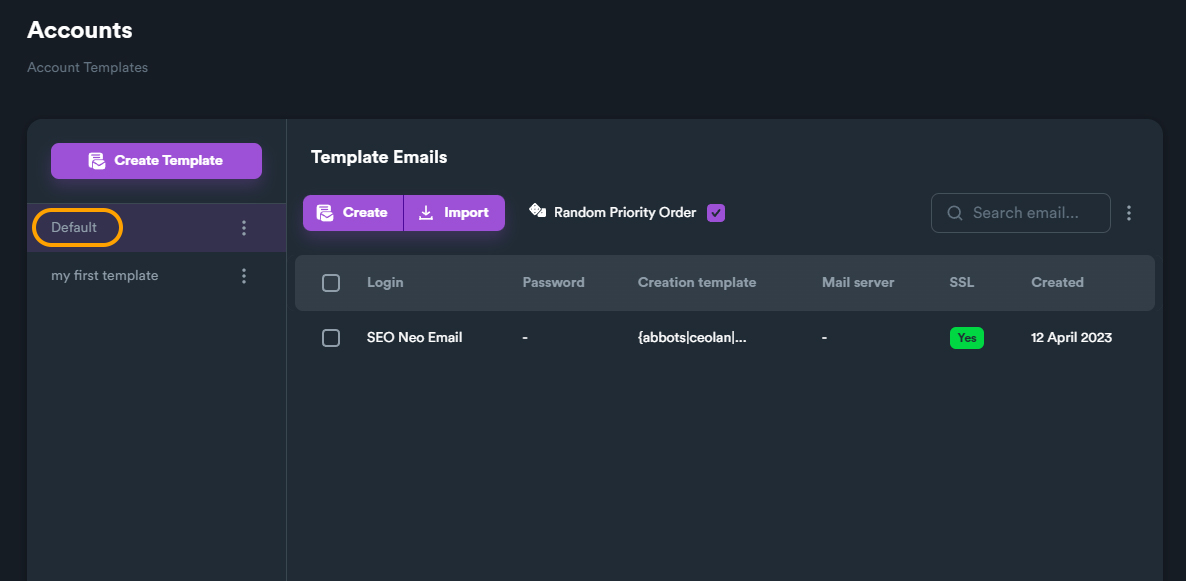
You can add as many e-mails as you want inside each account template. If you don't want to create a new account template from scratch, you can use "Default" account template. This template has only one e-mail entry which is SEO Neo Email.

Feel free to use this account template, or even edit it by adding your own emails in it.

{% hint style="info" %}
Although SEO Neo comes with its own email (that gets updated regularly) it is better to use your own emails to increase success rate.
{% endhint %}
<figure><img src="https://2718133043-files.gitbook.io/~/files/v0/b/gitbook-x-prod.appspot.com/o/spaces%2F2UzeMjUGHvOZRX1jMiVc%2Fuploads%2FST8PdwPPoUgBzMv5KmYU%2Fdefault%20account%20template%20list.jpg?alt=media&#x26;token=71eb6ec9-f826-459c-a537-858887a624aa" alt=""><figcaption></figcaption></figure>