> For the complete documentation index, see [llms.txt](https://docs.seoneo.io/llms.txt). Markdown versions of documentation pages are available by appending `.md` to page URLs; this page is available as [Markdown](https://docs.seoneo.io/documentation/cloud-blogs/cloud-blogs-settings/linode-setup.md).

# Linode - setup

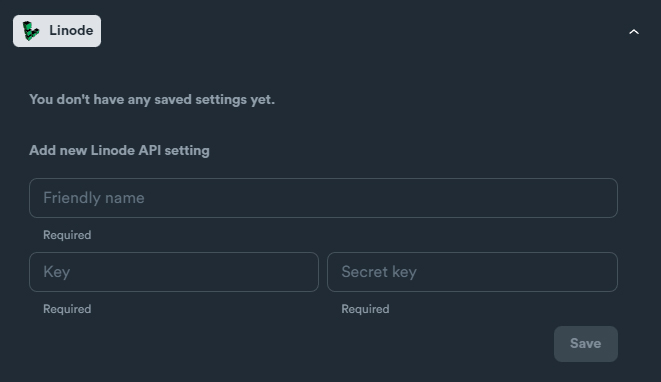
### Linode API Settings

Required credentials:

* Key
* Secret Key

<figure><img src="https://2718133043-files.gitbook.io/~/files/v0/b/gitbook-x-prod.appspot.com/o/spaces%2F2UzeMjUGHvOZRX1jMiVc%2Fuploads%2FCzW44diR2G3stBsaiaOB%2FLinode.jpg?alt=media&amp;token=218ac35f-3bac-4171-be38-5aa58560344a" alt=""><figcaption></figcaption></figure>

### How to obtain credentials

Login in to your Linode account.

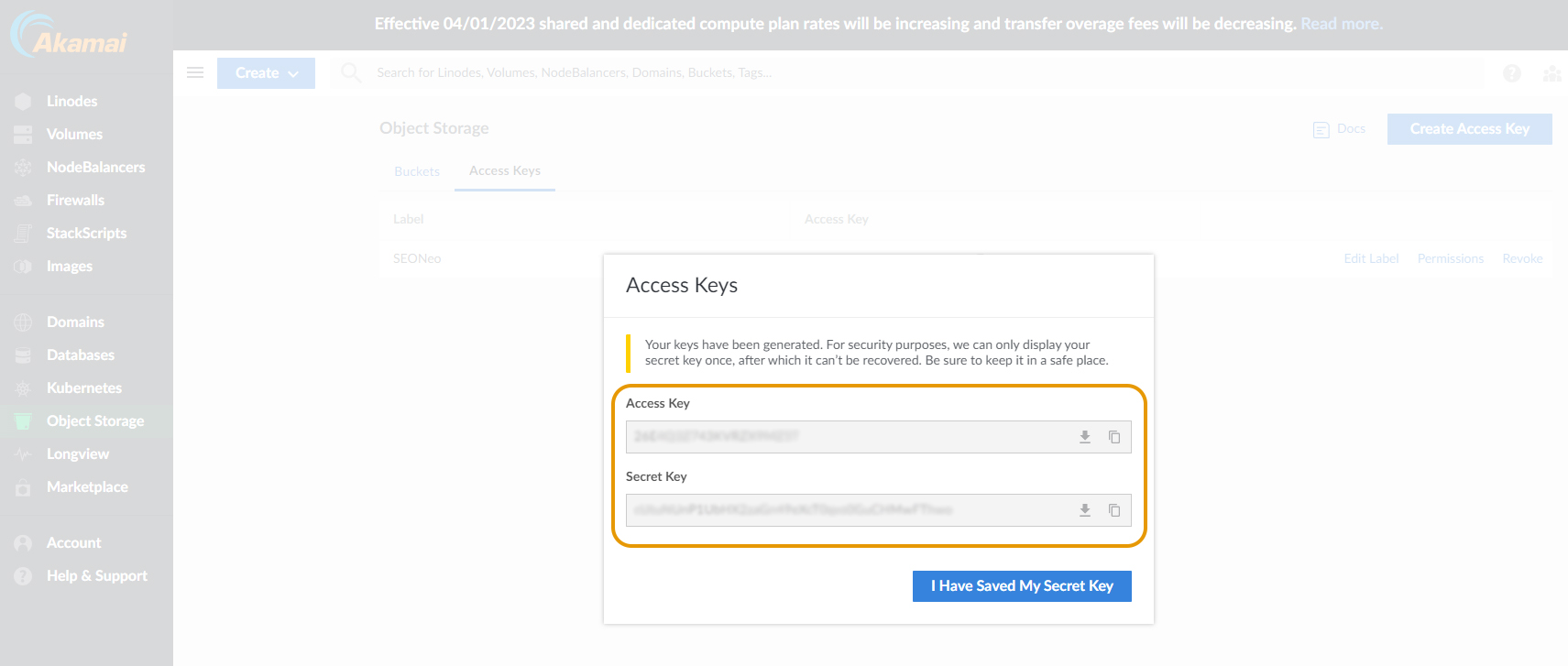
Navigate: **Object Storage** > "**Access Keys"** tab > Click **"Create Access Key"** button

<figure><img src="https://2718133043-files.gitbook.io/~/files/v0/b/gitbook-x-prod.appspot.com/o/spaces%2F2UzeMjUGHvOZRX1jMiVc%2Fuploads%2Ft42ieea6IVpmljYlgvin%2FLinode%201.jpg?alt=media&amp;token=26dc6888-5813-49cd-84f6-c26f8664dd74" alt=""><figcaption></figcaption></figure>

Grab your **Key** and **Secret Key**.

<figure><img src="https://2718133043-files.gitbook.io/~/files/v0/b/gitbook-x-prod.appspot.com/o/spaces%2F2UzeMjUGHvOZRX1jMiVc%2Fuploads%2FYF1BzdTi3pC8nWy8uIn6%2FLinode%202.jpg?alt=media&amp;token=6a084c68-99e8-4338-99e5-e0bdf1092f2d" alt=""><figcaption></figcaption></figure>